Python for AI/ML – Episode 2
Understanding Python Basics for Artificial Intelligence and Machine Learning
In the previous episode, we successfully installed Python and set up the development environment required for Artificial Intelligence and Machine Learning projects. Now, in Episode 2, we will begin learning the fundamentals of Python programming that form the backbone of AI and ML development.
Python is one of the most popular programming languages in the world because of its simple syntax, readability, and massive collection of libraries. Most AI and ML frameworks such as TensorFlow, PyTorch, Scikit-learn, and Pandas are built using Python. Therefore, understanding Python basics is the first step toward becoming an AI/ML developer.
Why Python for AI and ML?
Python is widely used in AI and ML because:
- It is easy to learn and beginner-friendly.
- It has simple and readable syntax.
- It provides powerful libraries for data analysis and machine learning.
- It supports automation and rapid development.
- It has a huge community and excellent documentation.
Due to these advantages, companies and researchers prefer Python for building intelligent systems.
Writing Your First Python Program
The first program most beginners write is the “Hello World” program.
print("hello world")

Printing in Python
Printing means displaying output on the screen.
Python uses the print() function to show messages, values, and results.
Syntax of print()
print("Hello World")
Printing Text
Text must be written inside quotes.
Example
print("hi welcome to syntaxflow")
Output
Hi welcome to syntax flow
Printing Numbers
Numbers can be printed without quotes.
print(100)
print(3.14)
o/p:
100
3.14
Variables in Python
Think of a variable as a labeled storage box. In Python, you use these boxes to store data so you can refer to it later by name.
Unlike some other languages, Python is "dynamically typed," which means you don’t have to tell the computer what kind of data is going inside the box ahead of time. You just give it a name and assign a value.
1. The Anatomy of a Variable
To create a variable, you follow a simple pattern: name = value.
player_score=100
player_name="Alex"
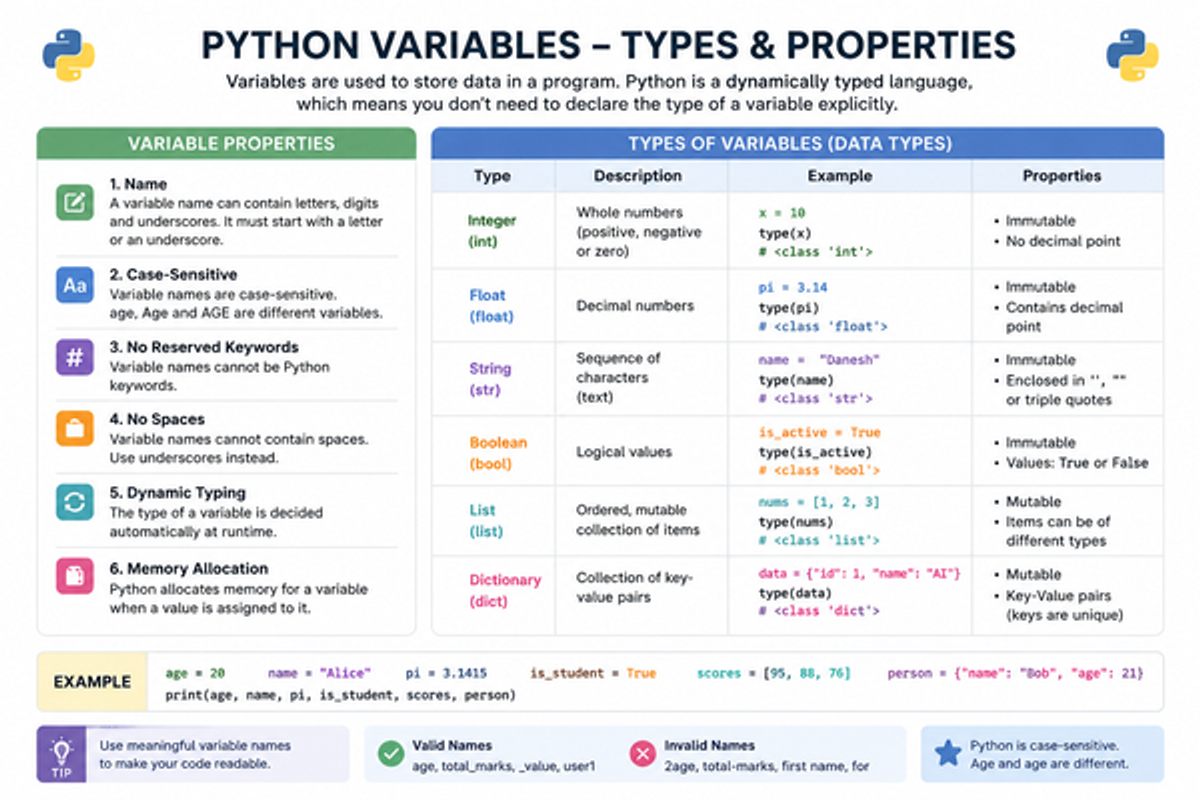
Variable Properties
1. Variable Name Rules
A variable name:
- Can contain letters, numbers, and underscores
- Cannot start with a number
- Cannot contain spaces
1name = "Alex"student name = "Alex"
2. Case-Sensitive
Python treats uppercase and lowercase differently.
age = 20

Age = 30
3. No Reserved Keywords
Python keywords cannot be used as variable names.
Wrong
class = 10
for = 5
Because:
are already used by Python.
4. No Spaces
Variable names cannot contain spaces.
Wrong
student name = "Syntax flow"
Correct
student_name = "syntax flow"
Underscores _ are used instead of spaces.
5. Dynamic Typing
Python automatically decides the type of variable.
x = 10

x = "Python"
First:
Later:
Python allows changing data types dynamically.
6. Memory Allocation
When a value is assigned to a variable, Python stores it in memory.
name = "AI"
Here:
- Memory is allocated to store "AI".
2. Basic Data Types
Variables can hold different "flavors" of data. Here are the most common ones you'll use:
1. Integer (int)
Integers are whole numbers.
x = 10
Properties
- No decimal point
- Can be positive or negative
- Immutable (cannot be modified directly)
a = 100

b = -25
2. Float (float)
Floats are decimal numbers.
pi = 3.14
Properties
- Contains decimal values
- Used in calculations
- Immutable
Examples
height = 5.8

temperature = 36.5
3. String (str)
Strings store text.
name = "Syntaxflow"
Properties
- Written inside quotes
- Stores characters and text
- Immutable
Examples
city = "Chennai"

course = "Python"
4. Boolean (bool)
Booleans represent logical values.
Properties
- Only two values:
- Used in conditions and decision-making
Examples
is_logged_in = False
whatever we saw till now are primitive data types we will explore further on other data types in coming episodes. practice typing on whatever code demonstrated here
Checking Data Types
We can check the type using type().
Example
x=10
print(type(x))
Output:
<class 'int'>
Comments in Python
Comments are notes written inside a program to explain the code.
Python ignores comments during execution.
Comments help to:
- Improve readability
- Explain code logic
- Make programs easier to understand
Types of Comments in Python
- Single-Line Comments
- Multi-Line Comments
Single-Line Comments
Single-line comments start with #.
Syntax
print("hello world")
Multi-Line Comments
Triple quotes are commonly used for multi-line comments.
Syntax
"""this is a multi line comment
i am typing the content in second line"""
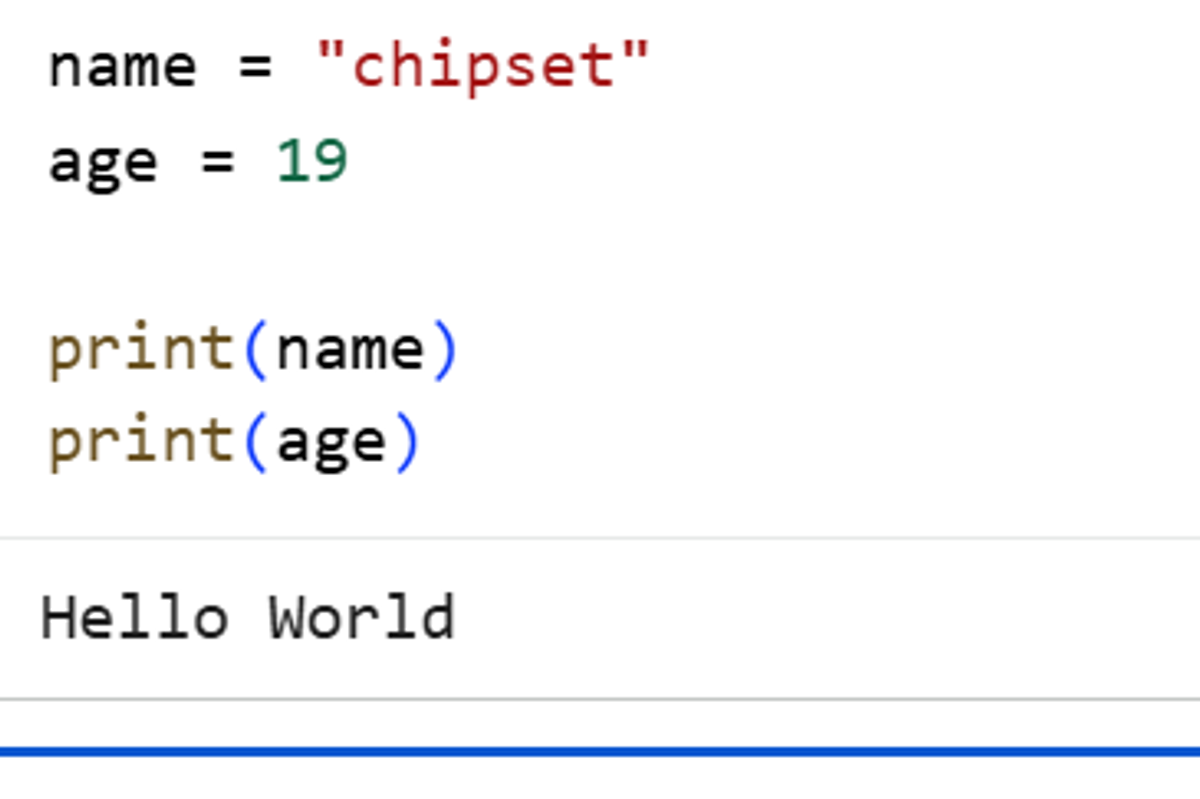
Printing Variables
As seen Above variables can printed very easily in python
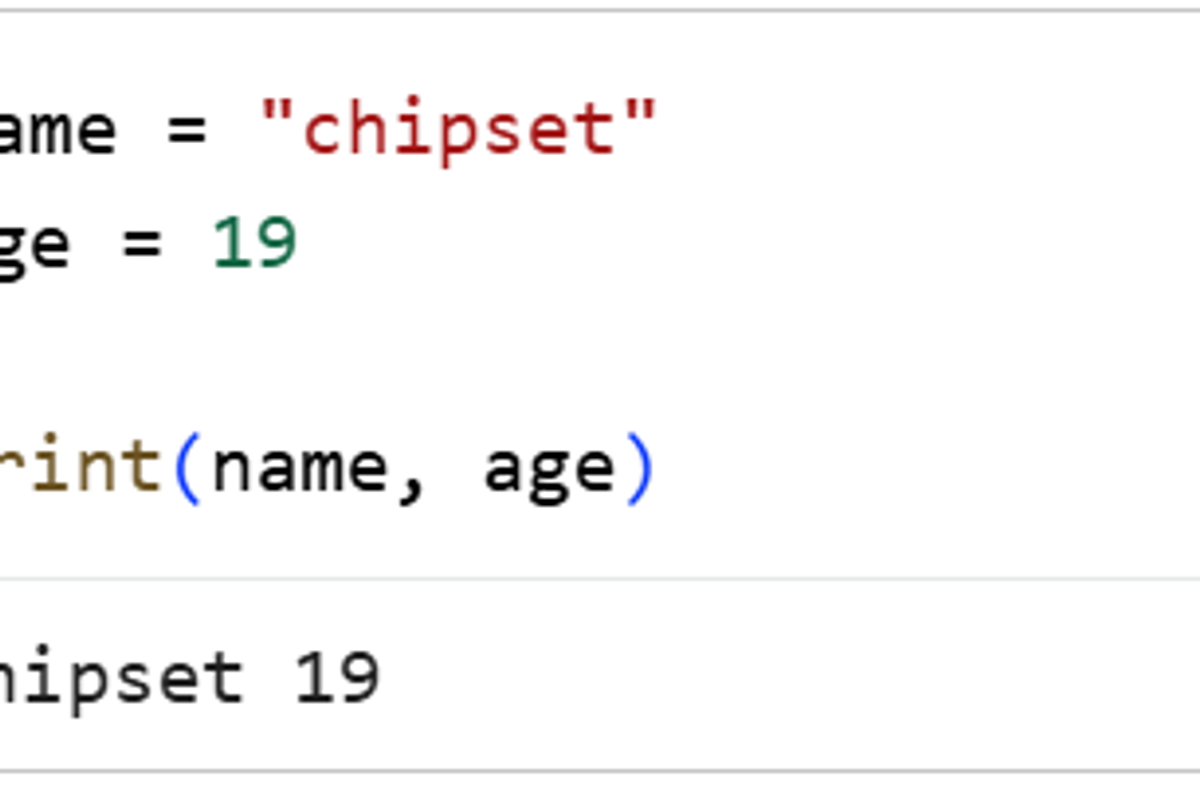
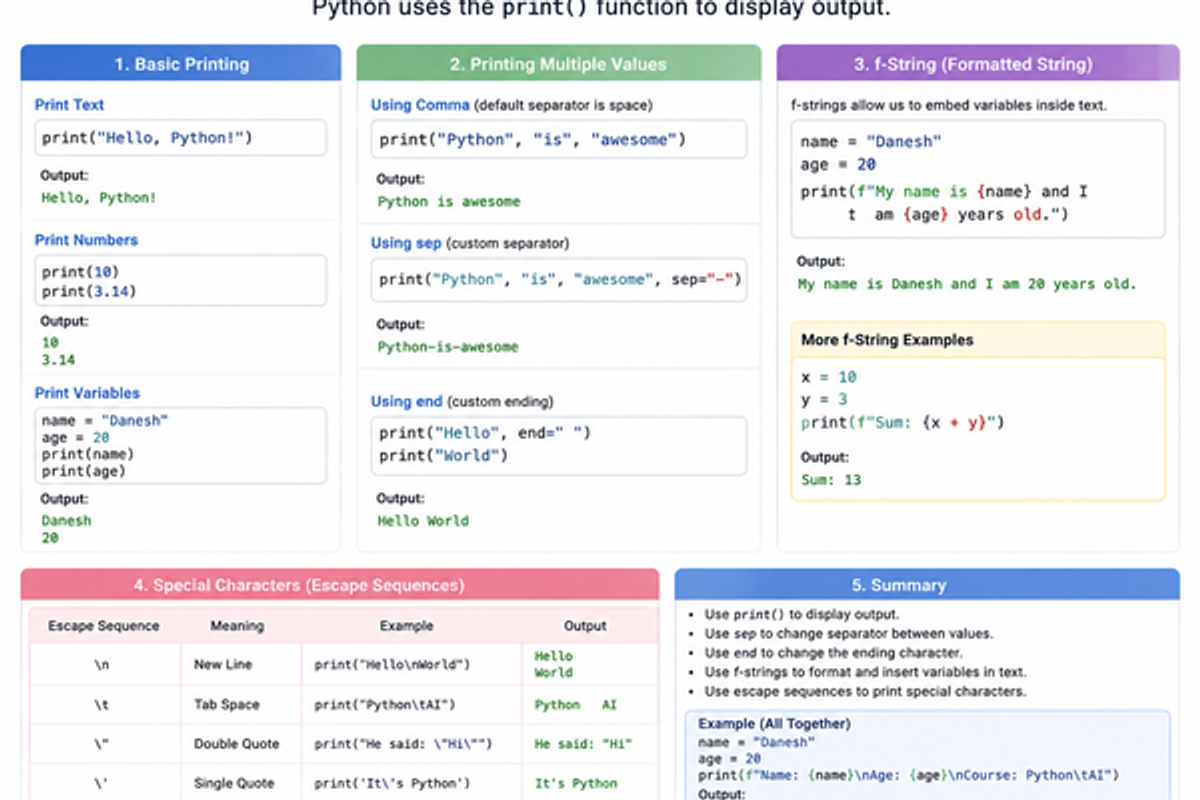
Printing Multiple Values
Multiple values can be printed using commas.
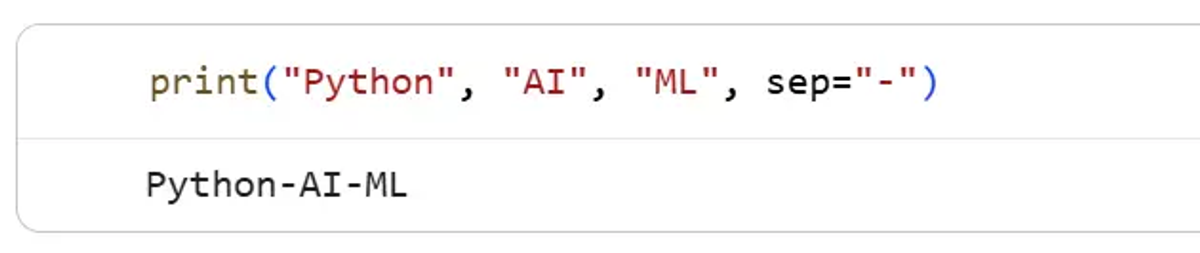
Using Separator (sep)
The sep parameter changes the separator between values.
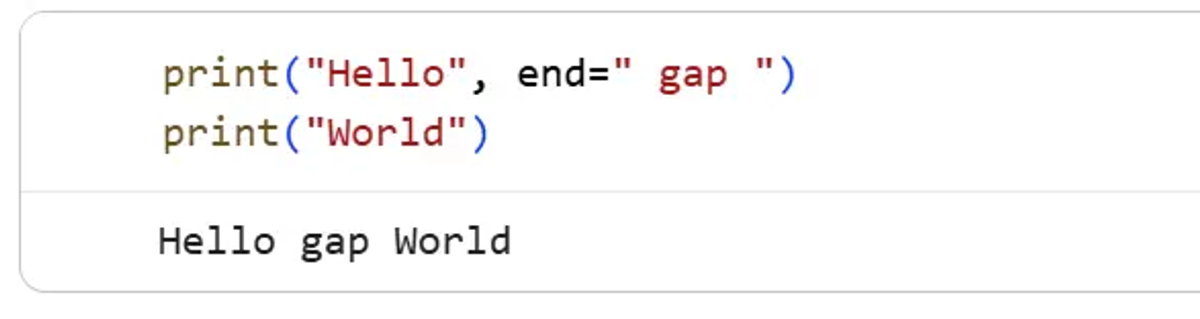
Using End (end)
The end parameter changes the ending character.
Input in Python
Input means taking data from the user while the program is running.
In Python, the input() function is used to receive values from the keyboard.
This makes programs interactive because the user can give different values every time the program runs.
Syntax:
input("Message")
The text inside quotes is shown to the user. Whatever the user types is returned by the input() function.
Basic Input Example
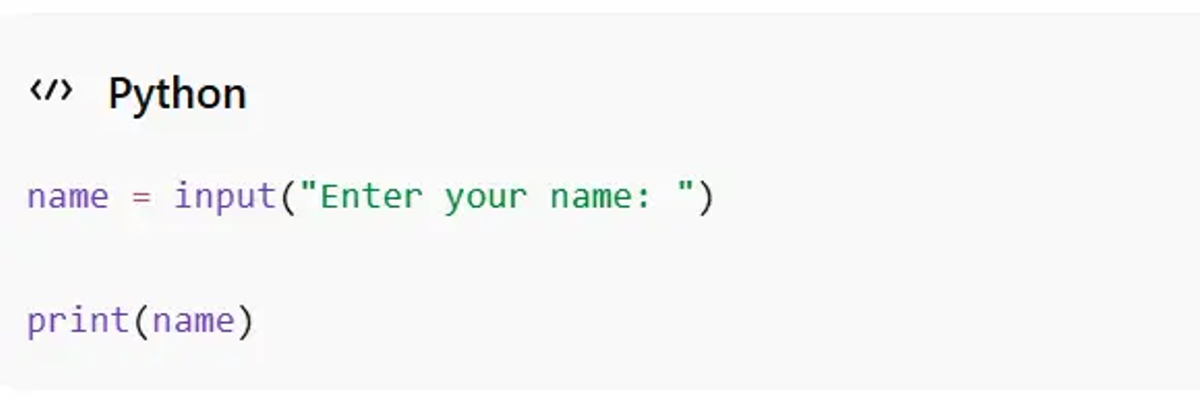
Output
Enter your name: syntaxflow

syntaxflow
Explanation
- input() asks the user to enter a value.
- The entered value is stored in the variable name.
- print(name) displays the stored value.
the message is not compulsory ,we can directly write input() and get the input ,however no prompt will be given for input
Usually, we display a message so the user understands what to enter.
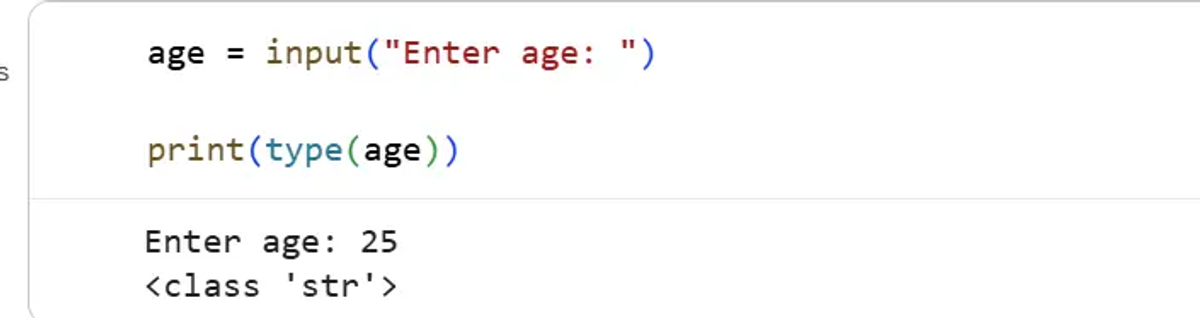
Important Point About input()
By default, Python stores all input values as strings (str).
Even if the user enters a number, Python treats it as text.
Why Type Conversion is Needed
Suppose we take two numbers as input:
a = input("Enter first number: ")

b = input("Enter second number: ")

print(a + b)
Output
1020
Explanation
Python joins the strings instead of adding them mathematically.
- "10" + "20" becomes "1020"
So, we need type conversion.
remember whenever we use '+' operator python combines both the strings as one string
Integer Input using int()
The int() function converts input into an integer.
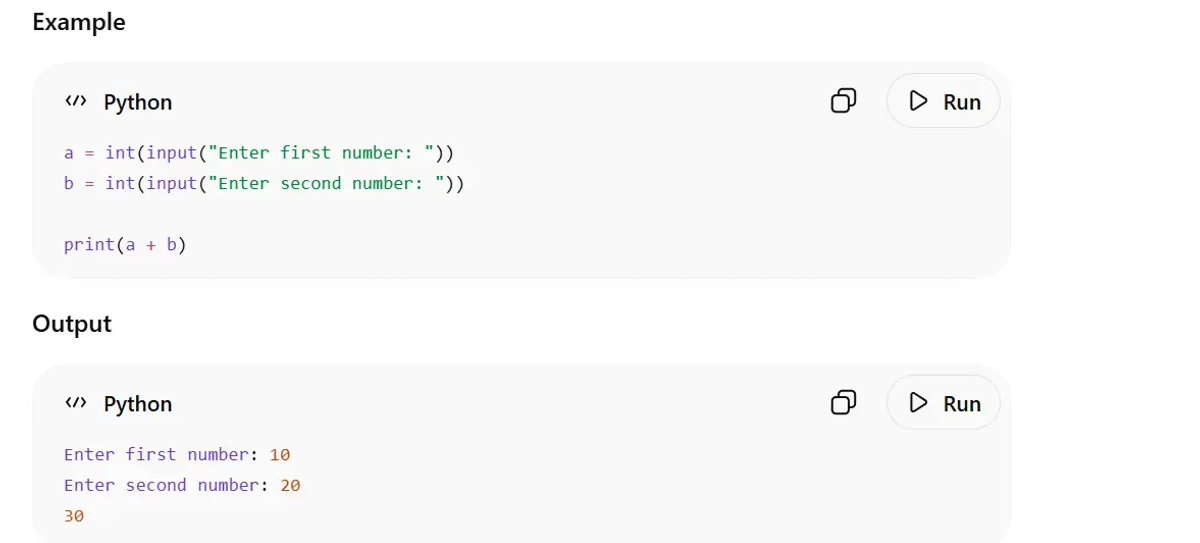
Explanation
- input() receives the value
- int() converts it into a number
- Python performs mathematical addition
Float Input using float()
The float() function converts input into decimal numbers.
Example
height = float(input("Enter height: "))

print(height)
Output
Enter height: 5.85
5.85
Taking Multiple Inputs
We can take multiple values from the user.
Example
name = input("Enter name: ")

age = int(input("Enter age: "))

print(name, age)
Output
Enter name: chipset

Enter age: 19

chipset 19
Real-Life Uses of Input
Input is used in:
- Login systems
- Registration forms
- AI chatbots
- Online calculators
- Games
- Machine learning applications
Almost every interactive application uses input functions.
Homework
Try these programs on your own to improve your understanding of Python basics:
- Write a program to print your:
- Name
- Age
- Favorite programming language
- Create variables to store:
- Your name
- College name
- Department
- CGPA
Then print all the values.
Conclusion
In this article, we learned the basic fundamentals of Python programming, including:
- Printing statements using print()
- Taking user input using input()
- Variables and variable naming rules
- Basic data types like int, float, bool, and str
- Comments in Python
These concepts form the foundation of Python programming and are essential for Artificial Intelligence and Machine Learning development.
Keep practicing these basics regularly, because strong fundamentals make advanced programming much easier to learn.
Stay tuned for the next episode to explore more Python concepts and continue your journey into AI and Machine Learning.
for previous episode click here:
Complete Guide to Installing Python on Windows, macOS, and Linux | SyntaxFlow
you can watch this video for better understanding incase you are confused
https://youtu.be/DB9Cq6TSTuQ?si=tLW7YiYhUUDqZFfe